The consultation is finished, but three documents still need to go out: a prescription to the pharmacy, a requisition to the lab and a referral letter to a specialist. Each needs patient details that are already in your record. Preparing and faxing them should not mean entering that information three more times.
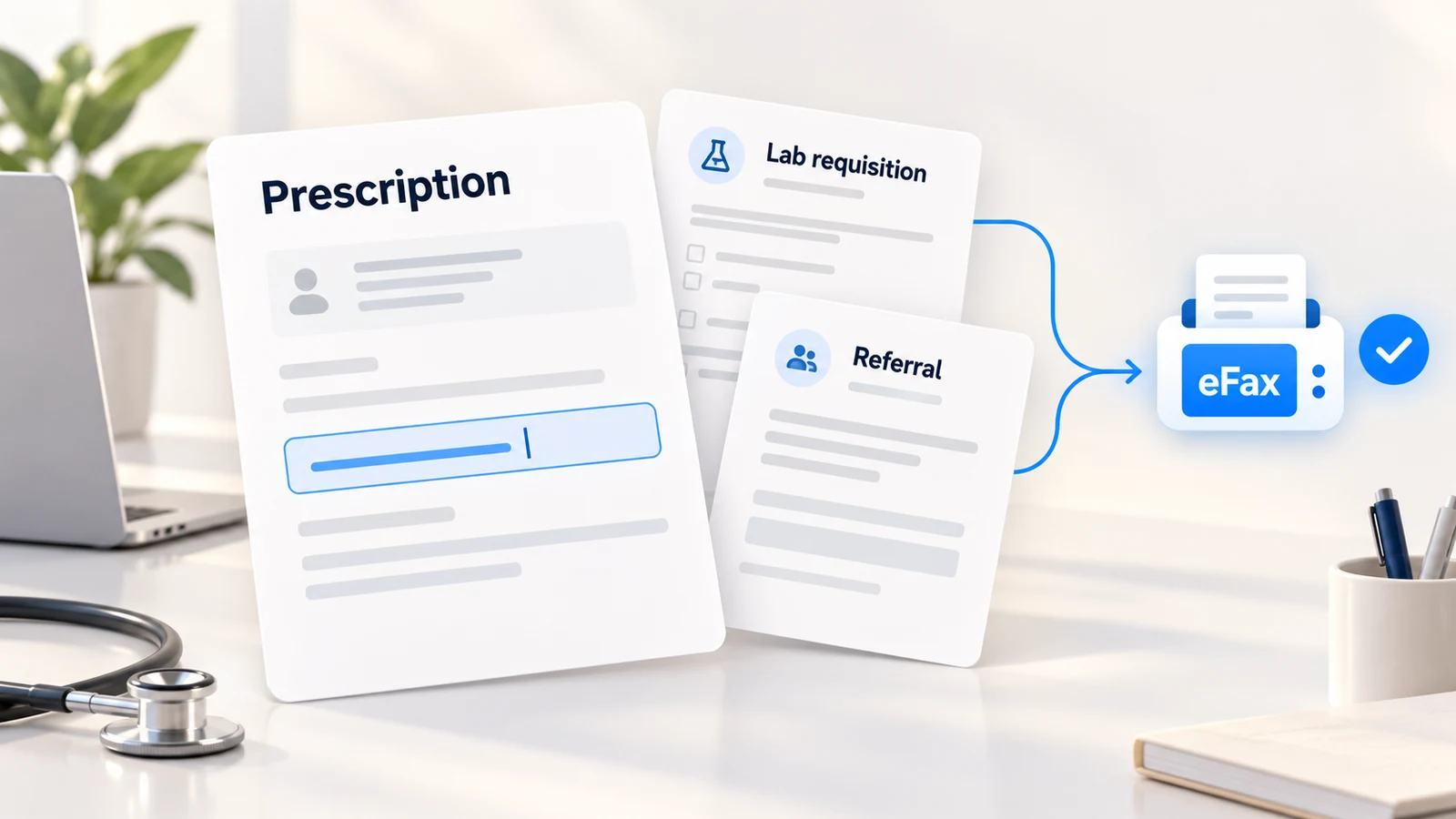
Oli Health brings document preparation and healthcare fax into the same workspace. Create a prescription from a template in one click, fill a supported lab form from patient data in one click, or generate a patient referral letter in one click. Review the document and send it through integrated eFax, with its delivery status available alongside the record.
For solo practitioners and small clinic teams, the useful part is the complete handoff: prepare the document, send it to the right place and find it again when someone calls back.
Healthcare fax starts with the patient information you already have
Sending the fax is the last step. Before that, someone has to prepare the prescription, fill the requisition or write the referral. A separate online fax account still leaves you moving documents between tools.
In Oli, each workflow starts with the patient record:
- Fax prescriptions: Generate the prescription with patient details filled in, choose the medication and send the reviewed PDF to the pharmacy.
- Automated lab requisitions: Populate a supported lab form from patient data, add the requested tests and fax the completed requisition.
- Referral letters: Generate a draft from patient context, refine the clinical request and fax it with supporting records.
These are everyday handoffs in naturopathic, longevity, functional medicine and wellness practices. The goal is less repeated data entry between the visit and the next step in the patient's care.
How to fax prescriptions to a pharmacy
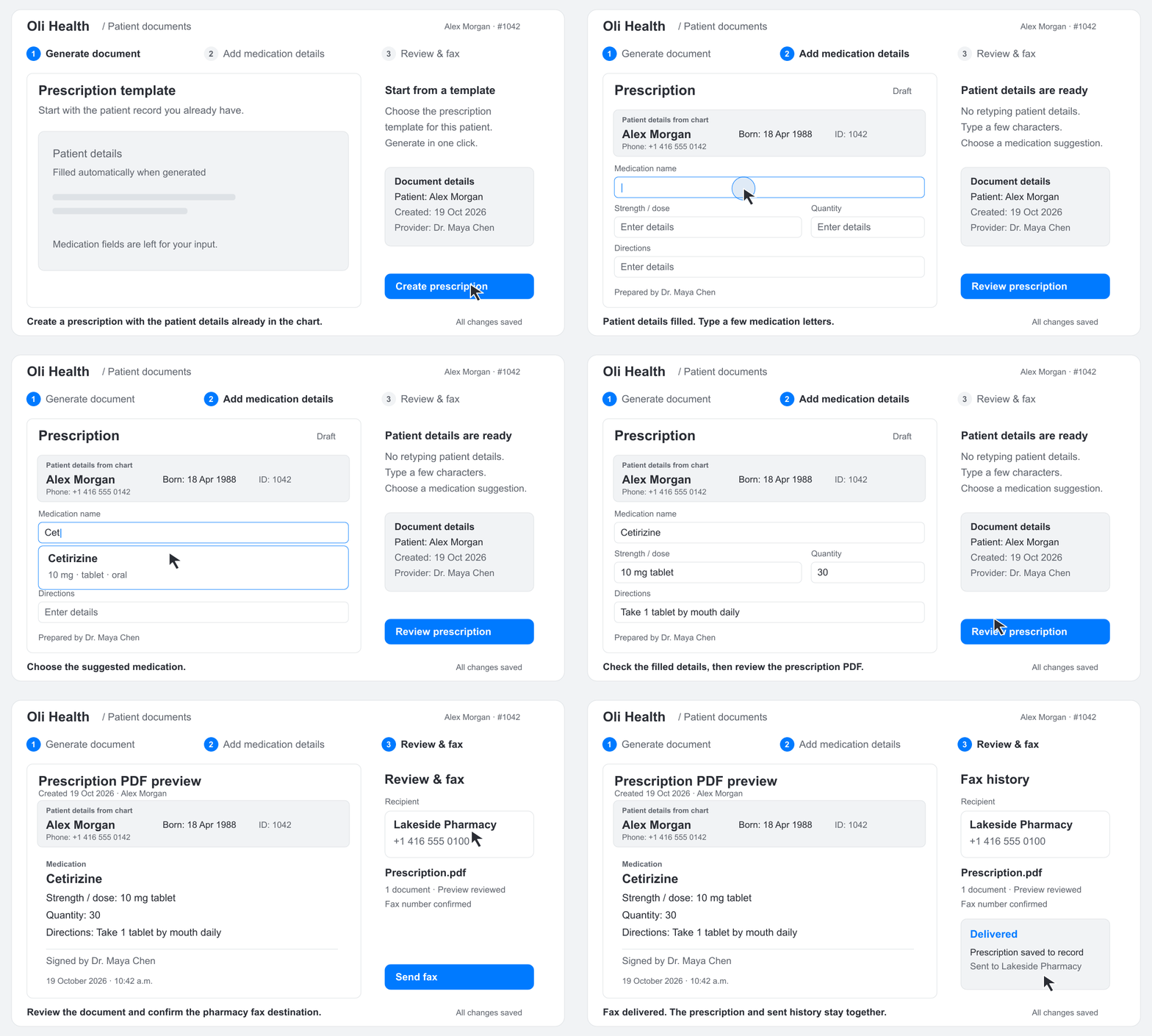
With eFax prescriptions, the practice sends a prescription document electronically to the pharmacy's fax number. In Oli, use a pre-existing prescription template to generate a PDF with the available patient details filled in automatically. You can move straight to the medication details and final review.
Type a few characters of the medication name and choose a suggestion to fill in its available details automatically. Check the populated information and adjust the instructions and other prescription details as needed before reviewing the final document.
That distinction matters in a small practice. A prescription has information that stays largely the same between documents, such as the patient's identifying details, and information that needs your attention for this specific order. Starting from the record means less copying before you reach the work that requires your clinical judgment.
In the workflow below, Alex Morgan's patient details are already filled in. The practitioner types "Cet", chooses Cetirizine from the suggestions and the medication details populate automatically. They review the prescription, confirm the pharmacy and send the fax.
Show or hide the prescription walkthrough

The same sequence, without the animation:
- Generate the prescription. Use the template to prepare a PDF with the patient details already available in the record.
- Type a few characters of the medication name, choose a suggestion and check the details filled automatically. Complete or adjust the instructions and other information appropriate to the prescription.
- Review the complete document, finish any required signing steps, and confirm the pharmacy's fax number.
- Send the prescription PDF through Oli's eFax workflow and check its delivery status.
The prescription and sent history stay together in Oli Health. When you need to check what was sent, you have the document and the fax history in the same workspace.
How do eFax prescriptions work for a clinic?
With eFax prescriptions, clinics send a prescription PDF electronically to the pharmacy's fax number. In Oli Health, generate the document with patient details prefilled, choose a medication suggestion and complete the prescription. Review it, finish the required signing steps, confirm the destination, then send and check delivery status.
Automated lab requisitions from patient data
A lab requisition often starts with information you have already collected. Retyping a patient's details into another form adds work before you even reach the tests you intend to request.
With a supported lab requisition form in Oli, one click fills the available mapped fields from the patient's data. Review the populated information, complete the requested tests and any missing details, then prepare the requisition for faxing to the lab.
You can send the requisition with relevant signed notes or supporting documents. Preview the pages together and put them in the order you want the lab to receive them. Oli's integrated eFax workflow keeps the preparation, preview and delivery status in the same workspace.
How do automated lab requisitions use patient data?
Automated lab requisitions use information already in the patient record to fill mapped fields on a supported form. In Oli Health, one click populates those available fields. Add the requested tests and remaining details, review the completed requisition, then fax it to the lab with any relevant supporting documents.
Create medical referral letters and fax the supporting records
A useful referral explains why you are asking another clinician to see the patient. It needs the relevant history and a clear clinical question, without asking the receiving clinician to reconstruct the story from unrelated notes.
Oli lets you generate a referral letter for the patient in one click using the available patient context. Start with that draft, then make the reason for referral and the request specific. Check that the information reflects the current situation and remove anything the recipient does not need.
For example, a referral for an assessment might need the presenting concern, its duration, relevant findings, previous investigations and the question you want answered. The practitioner decides which details belong in that particular handoff.
Once the letter is reviewed and finalized, send it with the relevant signed notes and supporting records in one fax. The receiving office gets the letter and its context together, rather than a short request followed by several separate transmissions.
Can I generate referral letters and fax them with patient records?
Yes. Oli Health generates a referral letter from available patient context. Refine the reason for referral, clinical question and relevant history, then finalize the letter. Attach supporting signed notes or documents, preview the pages and fax them together to the receiving clinician from the same workspace.
Keep fax delivery and replies connected to the patient
If you run a solo practice, you may be the person who writes the order, finds the recipient, sends the fax and checks whether it went through. A separate online fax account handles only one part of that sequence. You still have to create the document and keep its history connected to the patient.
EHR-integrated fax brings those steps closer together. You prepare documents using the record you already maintain, send them from the same workspace and follow their delivery status there. There is less information to move between systems and fewer places to look when a pharmacy or specialist calls back.
For a small team, that makes the next conversation easier. When a pharmacy asks about a prescription or a specialist needs the referral resent, you can find the document and its sent history together.
The outgoing document is only half of the exchange. Incoming faxes arrive in Oli's shared Received list. Review the document, choose the correct patient and confirm filing to keep it with their record.
With optional incoming analysis enabled, Oli can summarize a received fax and suggest a patient match for your review. Confirm the match against the document before saving it. A suggestion helps you find the record; it still needs your confirmation.
If the reply contains lab results, Oli's automated data extraction can bring supported results from new documents filed to the patient record into structured clinical information when that automation is enabled. Review extracted information against its source report. Sending the requisition and working with the returned results are connected parts of the patient's care.
Do solo practitioners need a separate online fax service?
Oli Health includes an integrated fax workflow for sending prescriptions, lab requisitions and referral letters, so a practice can handle those documents without a separate online fax account. Review outgoing pages and delivery status in Oli. Incoming faxes arrive in a shared Received list for review and confirmed filing to a patient record.
Make the next prescription, requisition or referral easier to send
Start with the documents your practice sends every week: a prescription template, a supported lab requisition and a typical referral letter. Patient details can come from the record, medication suggestions can populate available details, and referral drafts can start with the context you have already documented.
Prepare the document while the visit is still fresh, review it and send it from the same workspace. When the reply arrives, keep it with the patient's record so the next appointment starts with the information you need.
See how Oli Health's integrated eFax helps your practice fax prescriptions, prepare automated lab requisitions and send referral letters. Schedule a demo using the documents your practice sends most often.